InnoShot is a free screenshot extension for Google Chrome. It does the whole job in one place: getting exactly the right pixels off the page, explaining them, making them look finished, and exporting the right file. Nothing is uploaded, there is no account, and there is no watermark.
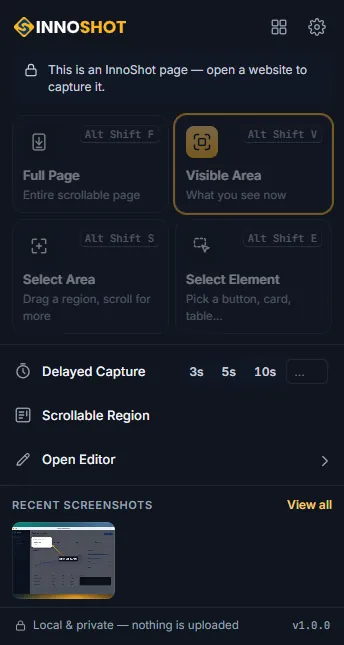
Chrome's own screenshot stops at the edge of the screen. InnoShot captures four ways. The whole page, scrolled and stitched, showing a sticky header once instead of twenty times and loading lazy images before it starts. A region you drag out, which can keep going past the bottom of the window as you scroll. A single element — point at a card, a table or a chart and it is cut exactly to its edges, with the arrow keys walking up to its parent or down into its children. And a panel that scrolls inside the page, the kind of inner pane that defeats most tools, captured in full and then put back exactly as it was.
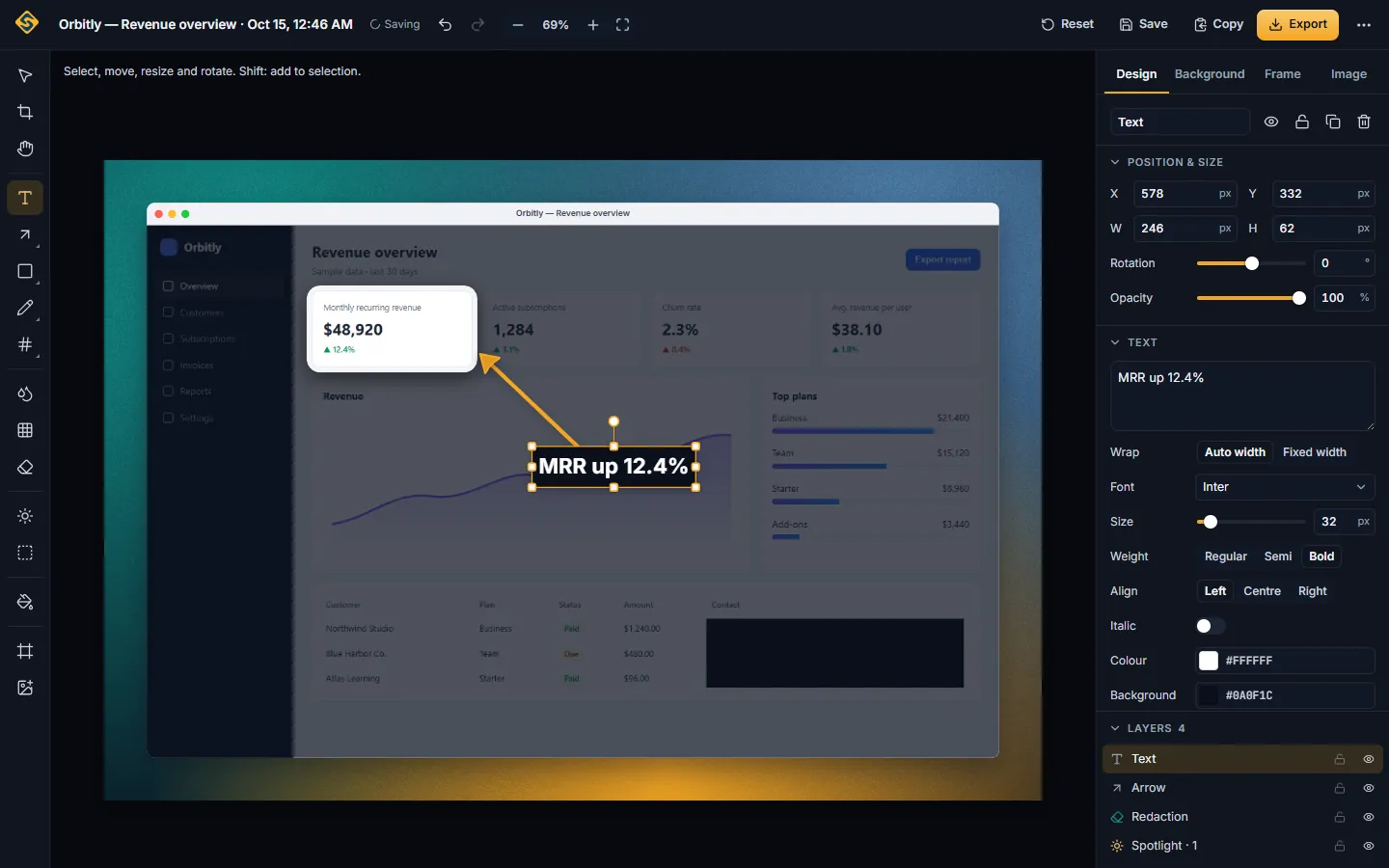
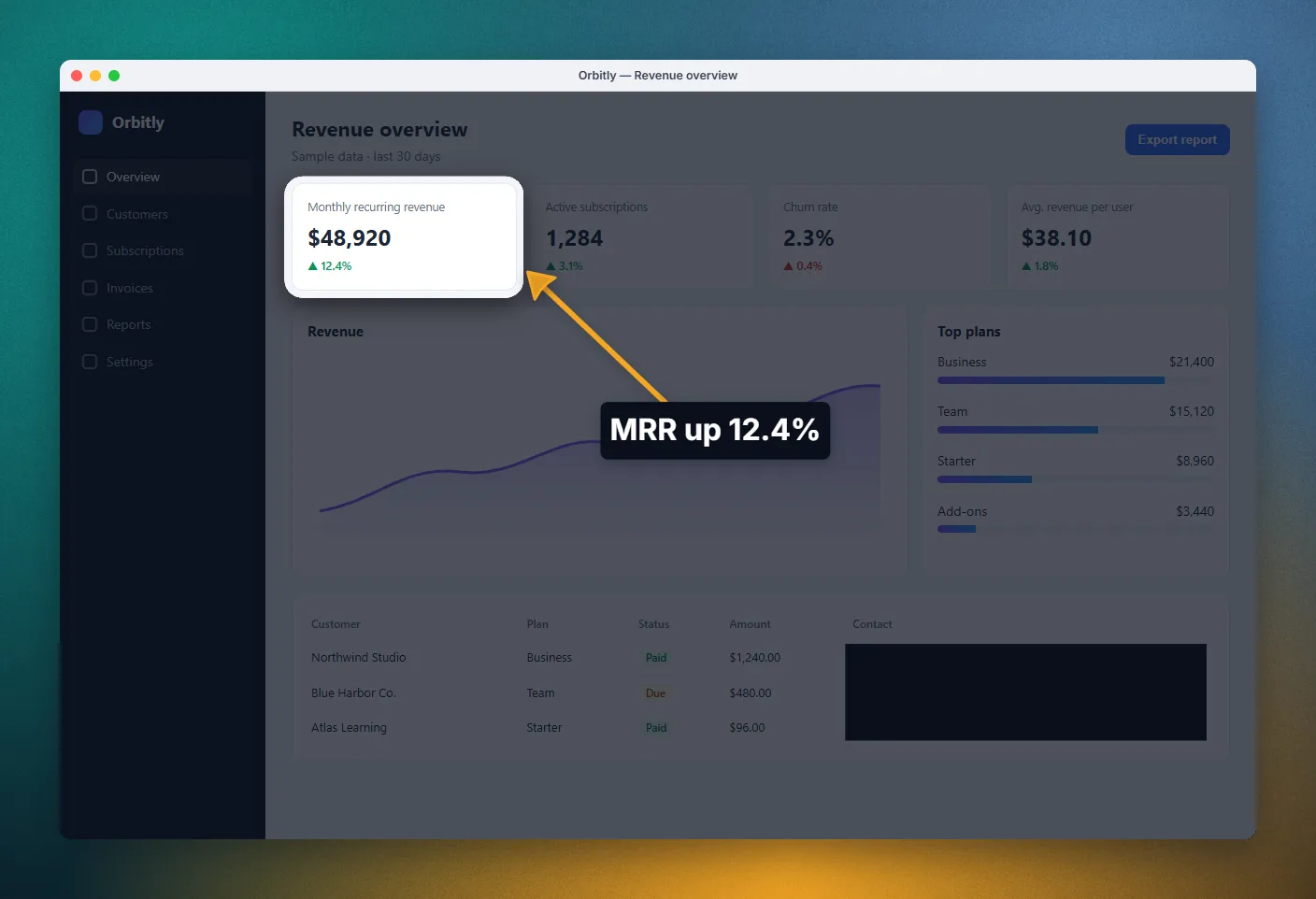
Every capture opens in a real editor in its own tab, not a toolbar with three buttons. It works in layers, so nothing is ever burnt in: the crop is reversible, undo goes back two hundred steps, and the project autosaves as you go. Annotations are editable objects — arrows and curved arrows, pen, marker and highlighter, shapes, text, numbered step markers, callouts, speech bubbles, a magnifier — so the arrow you drew an hour ago can still be moved.
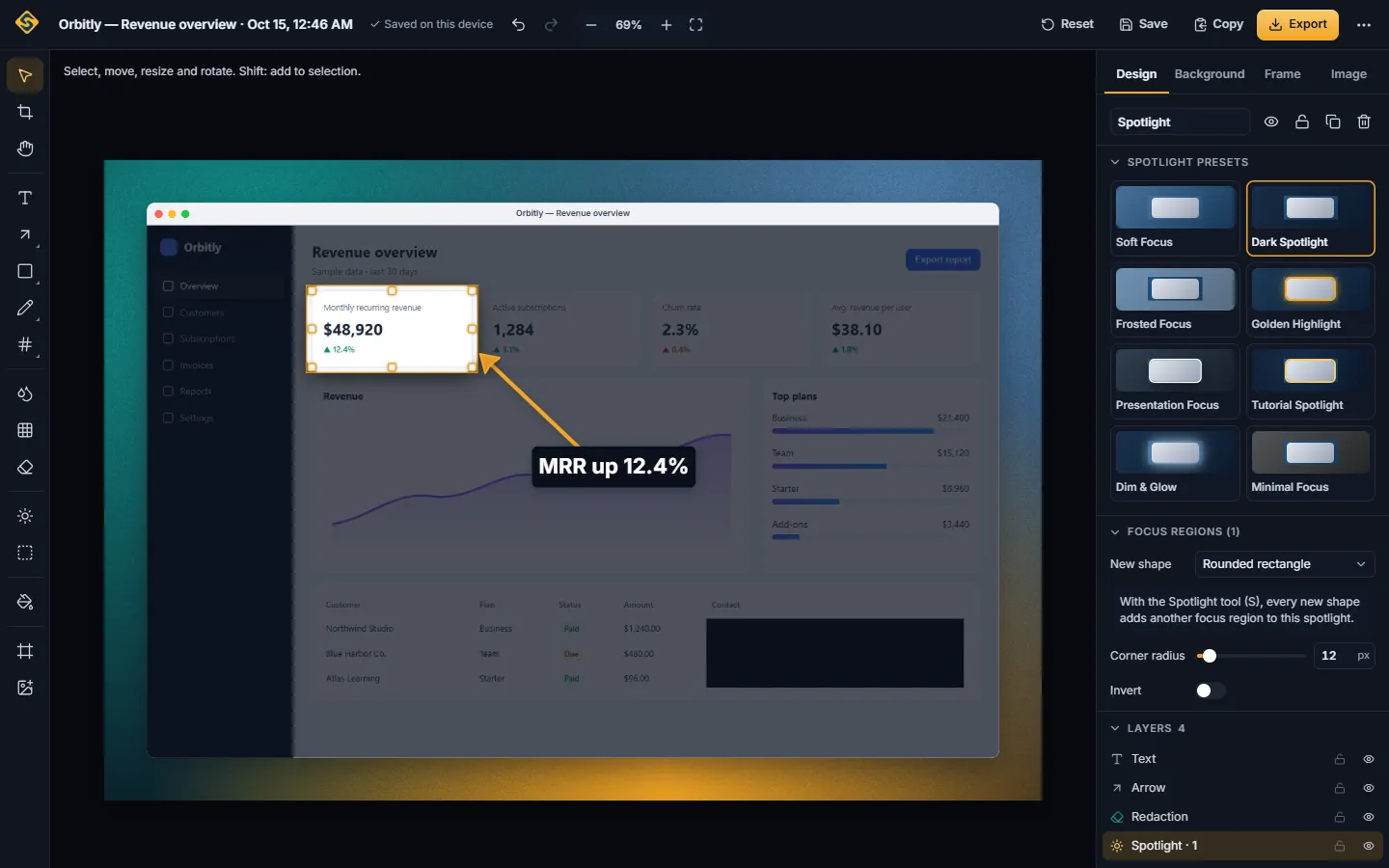
Three effects are the reason the pictures look professional rather than merely accurate. Spotlight dims, blurs or desaturates everything outside the part that matters, in any shape including freehand, with several regions at once. Glass draws a frosted panel over the real pixels underneath — the blur reads the screenshot itself, so it looks like glass rather than a grey rectangle. Backgrounds place the capture on a gradient, mesh, pattern or solid colour with padding, rounded corners and a shadow, optionally inside a browser frame or a device mockup, and optionally tilted in 3D.
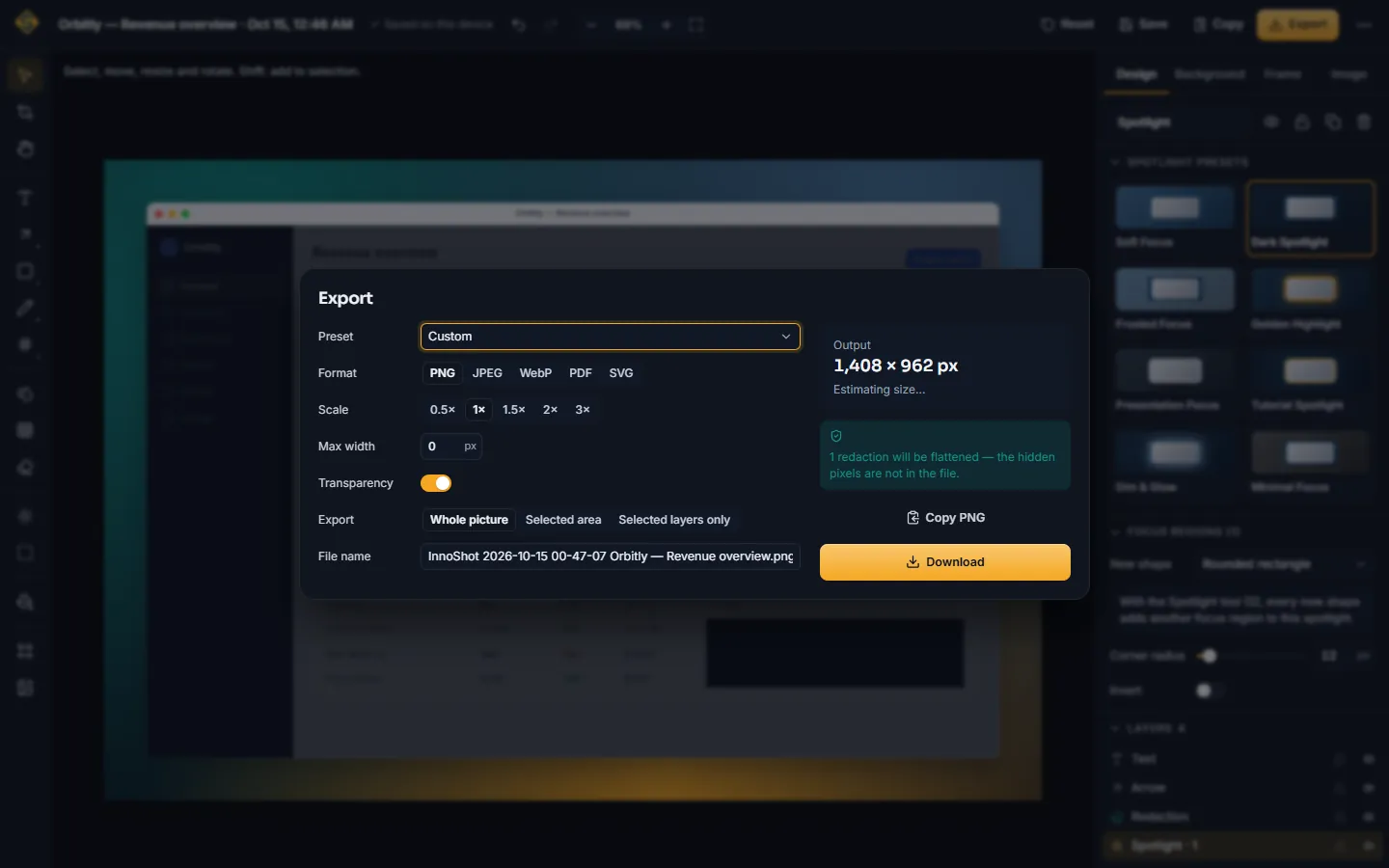
The privacy tools are labelled honestly, which is rarer than it should be. Blur and pixelate are cosmetic — they change how the picture looks, and InnoShot says so. Redact is permanent: the pixels underneath are flattened out of every export, including the PDF and the SVG, and a magnifier placed over a redaction cannot recover them. The export dialog tells you when a redaction is about to be flattened. You can also burn redactions into the stored capture, which deletes the original and clears the history for it.
Exports are PNG, JPEG or WebP with quality, scale and a maximum width; SVG that keeps annotations as real vectors; and PDF with A4 or Letter pages, orientation, margins, a header and footer, and automatic pagination for a tall capture. An image too large for a single file can be split into tiles or scaled down rather than silently cropped. There is a clipboard copy, seven export presets, and the option to export only a selection or only the layers you picked.
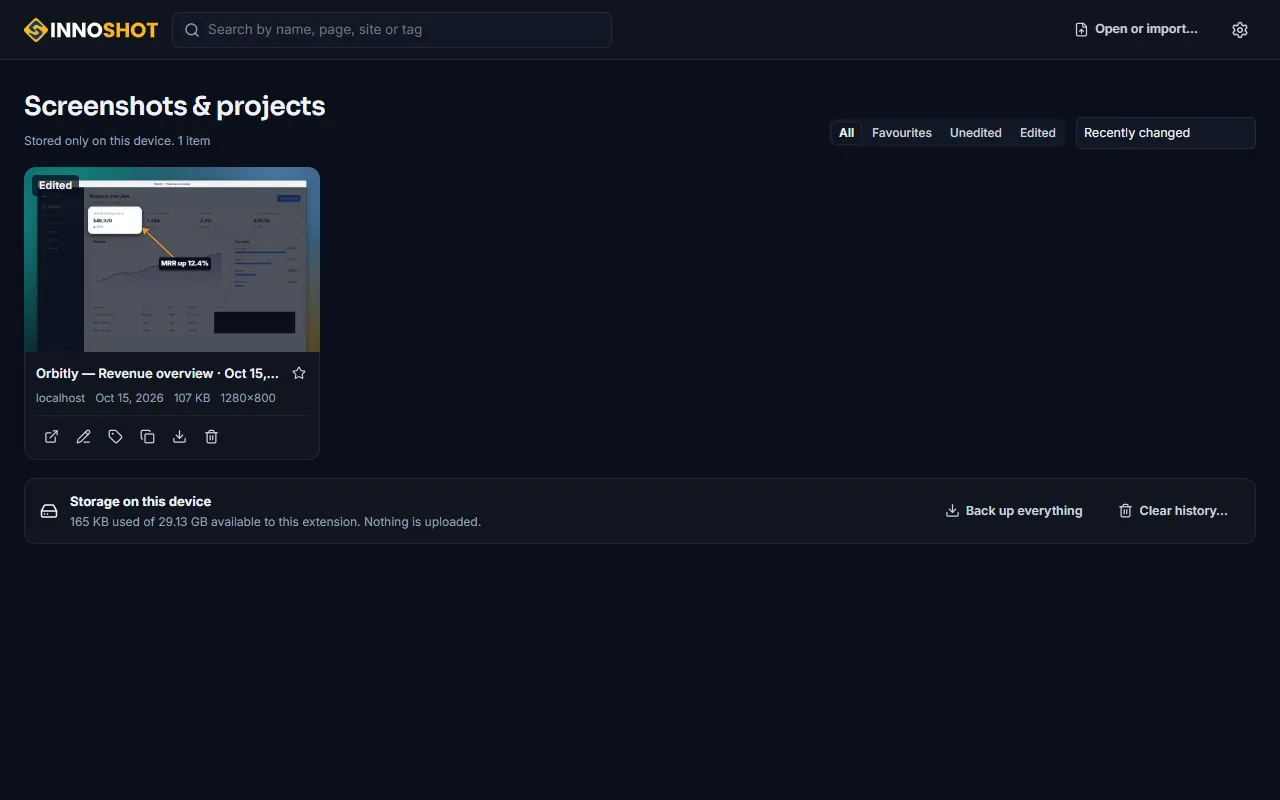
Captures and projects live in a local library with search, filters, favourites, tags, rename and duplicate, and the storage it uses is shown on screen with a retention setting you control. A project can be exported as a single .innoshot backup file and imported again elsewhere.
What makes all of this trustworthy is the permission list. InnoShot asks for activeTab, scripting, storage, unlimited storage and a context-menu entry — and no host permissions at all. That is why Chrome never asks it to read and change your data on every website: it can see a tab only after you deliberately start a capture there, and the helper it injects removes itself and restores the page afterwards. There is no network code in the extension, so there is no server in the middle; the website never talks to the extension either, and only links to the Chrome Web Store.
Scope, plainly: InnoShot 1.0.0 is a Manifest V3 extension for Google Chrome 116 or newer on the desktop, tested on Windows 11, with macOS, Linux and ChromeOS expected to work but not yet manually verified. Edge, Brave and other Chromium browsers can install Chrome Web Store extensions and may work, but are not tested or supported in this version. There is no Firefox or Safari build. Chrome itself does not let any extension capture chrome:// pages, the Web Store or other extensions' pages, so those cannot be captured, or only partly.
What it does
- Full-page capture: scrolled and stitched, sticky headers shown once
- Lazy-loaded images loaded before the capture starts
- Select an area and keep extending it past the bottom of the screen
- Element capture cut to its edges; arrow keys walk to parent or child
- Panels that scroll inside the page, captured in full and restored
- Delayed capture of 3, 5, 10 seconds or anything from 1 to 60
- Keyboard shortcuts: Alt+Shift+V visible, F full page, S area, E element
- A real editor in its own tab, with layers and nothing burnt in
- Reversible crop, rotate, flip, straighten and 3D tilt
- Annotations stay editable: arrows, pen, shapes, text, numbered markers
- Magnifier, callouts and speech bubbles
- Spotlight: dim, blur or desaturate everything outside what matters
- Several spotlight regions at once, any shape, including freehand
- Glass panels that blur the real pixels underneath
- Backgrounds: gradient, mesh, pattern, solid, image or transparent
- Seven browser frames and five device mockups, drawn procedurally
- Blur and pixelate, labelled as cosmetic — because they are
- Redaction flattened permanently into every export, PDF and SVG included
- Remove a background by hand; erased pixels export transparent
- Export PNG, JPEG, WebP, SVG, or a paginated PDF with margins
- SVG keeps annotations as vectors; PDF paginates a tall capture
- Oversized output split into tiles or scaled, never silently cropped
- Local library with search, filters, favourites, tags and storage shown
- Project backup to a single .innoshot file, and import again
- Undo up to 200 steps, autosaved, surviving a reload
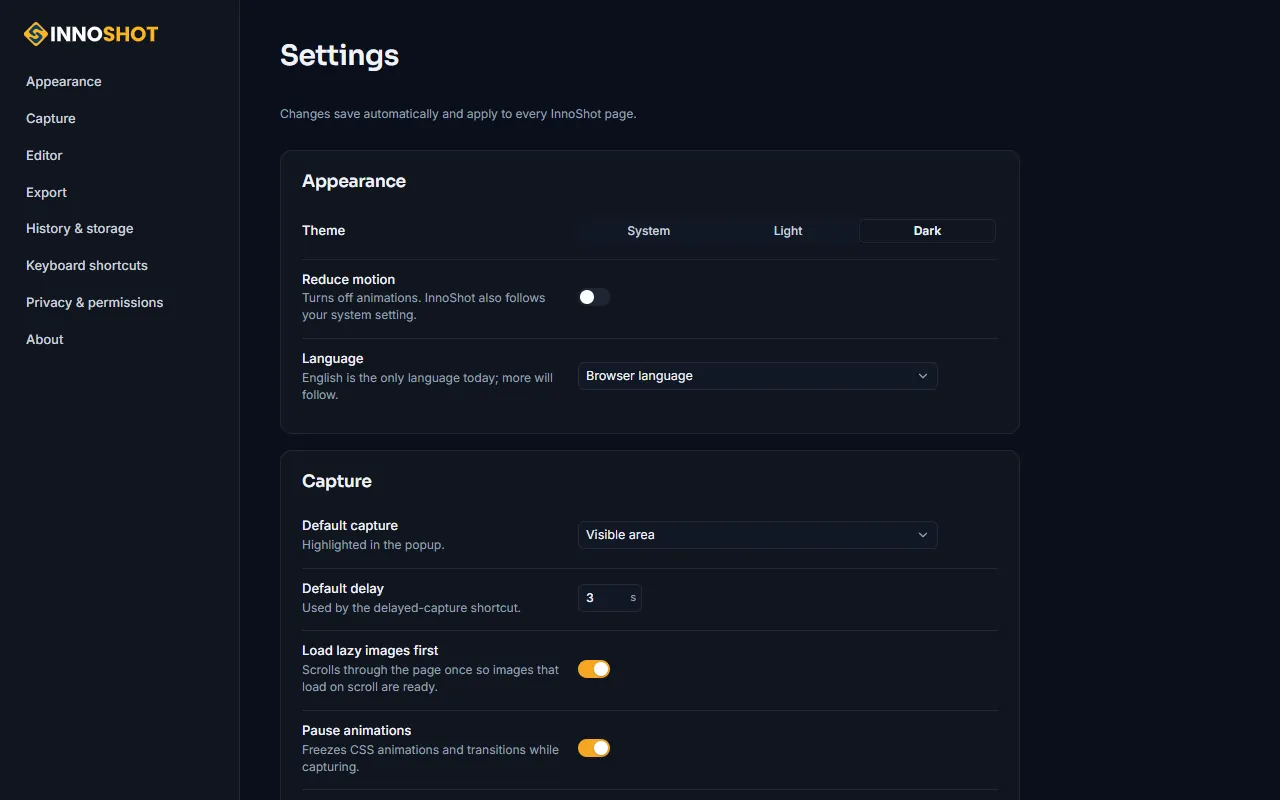
- Light, dark or system theme; reduced motion honoured
- No host permissions: it sees a tab only once you start a capture
- No network code in the extension — nothing is uploaded, ever
Screens
More about InnoShot
Detailed pages on the InnoShot site.
Questions about InnoShot
Nothing. InnoShot is free to install and use from the Chrome Web Store, with no account to create, no trial that expires and no watermark on what you export. There is no paid tier holding features back.
Google Chrome 116 or newer, on the desktop. It is a Manifest V3 extension, tested on Windows 11; macOS, Linux and ChromeOS are expected to work but have not yet been manually verified. Microsoft Edge, Brave and other Chromium browsers can install Chrome Web Store extensions and may work, but they are not tested or supported in version 1.0.0. There is no Firefox or Safari build.
It captures more than the screen and then lets you work on the result. Chrome can save what is visible; InnoShot also takes a whole page by scrolling and stitching it, a region you drag out that can extend past the bottom of the window, a single element cut exactly to its edges, and a panel that scrolls inside the page. Then every capture opens in an editor with annotations, spotlight, glass panels, backgrounds, browser frames, permanent redaction, and export to PNG, JPEG, WebP, SVG or a paginated PDF.
No, and no. InnoShot requests no host permissions at all — which is why Chrome never asks it to read and change your data on every website. It asks only for activeTab, scripting, storage, unlimited storage and a right-click menu entry, so it can act on a tab only after you deliberately start a capture there, and the helper it injects removes itself and restores the page afterwards. The extension contains no network code: there is no server in the middle, no account and no telemetry. Your captures and projects stay in your own browser; small preferences may be synced by Chrome sync between your own browsers, because that is Chrome's feature, not ours. The website never communicates with the extension either — it only links to the Chrome Web Store.
Yes. Full-page capture scrolls the page, loads lazy images first, and stitches the frames into one image, showing a sticky header once at the top and a fixed footer once at the bottom instead of repeating them down the picture. Chrome limits extensions to two captures a second, so a short page takes a couple of seconds and a page twenty screens tall takes about eleven; you can watch the progress and press Esc to cancel. Afterwards the scroll position and any styles it touched are put back as they were.
The ones Chrome puts out of reach of every extension: chrome:// pages, the Chrome Web Store, other extensions' pages, and view-source. Local files need file access to be granted, and PDFs opened in the built-in viewer are restricted. Protected video can be an exception too and may come out black. InnoShot says so on screen rather than producing a blank image — and because Chrome hides restricted URLs from extensions, a URL it cannot read is treated as protected.
It matters, and InnoShot labels it honestly. Blur and pixelate are cosmetic: they change how the picture looks, and in some cases the original detail can be inferred. Redact is permanent — the pixels underneath are flattened out of every export, including the PDF and the SVG, and a magnifier placed over a redacted area cannot recover them. The export dialog warns you when a redaction is about to be flattened. If you want the original gone from the stored capture as well, "Apply redactions to source" burns them in, deletes the original image and clears that project's history.
Yes. A4 or Letter, fit-to-content or the original size, portrait or landscape, with margins and an optional header and footer. A capture taller than one page is paginated automatically — a 6,400-pixel page becomes four pages. Header and footer text uses standard Helvetica, so it is Latin characters only there. The other formats are PNG, JPEG and WebP with quality, scale and a maximum width, and SVG, which keeps annotations as real vectors rather than flattening them.
No. Everything is a layer: the crop is reversible, each annotation stays an editable object you can move or restyle later, adjustments sit on top rather than being baked in, and undo goes back two hundred steps. The project autosaves in your browser as you work and survives closing the tab. The one deliberate exception is redaction, which is permanent by design.
Not automatically. Background removal is brush-based: you erase by hand, each stroke is its own non-destructive layer, and the erased areas export as transparent. There is no automatic subject detection in version 1.0.0 — that would need either a model shipped in the extension or a server to send your picture to, and InnoShot sends nothing anywhere.
In your own browser, in a local library with search, filters, favourites, tags, rename and duplicate. The library shows how much storage it is using on this device and has a retention setting, which runs when the browser starts and when the library opens, and tells you what it removed. A project can be exported as a single .innoshot backup file and imported again on another computer; every field and image is validated on the way in. Note that a backup keeps the original image, so a project containing a redaction is warned about before you download it.
Innobrains Technologies, a software house in Athara Hazari, Jhang, Pakistan, which also builds point-of-sale software for pharmacies, agriculture dealers, book depots and general retail. InnoShot is our first browser extension, published on the Chrome Web Store on 15 October 2026. Version 1.0.0 is built against Manifest V3.